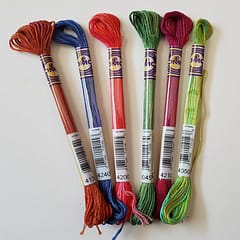
How to Find the Closest DMC Thread Color
Which thread is the best substitute?
Contents
- Introduction
- 1. Closest DMC to a DMC code
- 2. Closest DMC to any colour
- How this ties to converting a photo
- Related
Introduction
Two different problems get lumped together as “closest DMC”:
- You have a DMC code (discontinued, out of stock, or you hate stitching it) and need a neighbour in the DMC range.
- You have a colour — a hex from a logo, a pixel in a photo, a painted wall — and you want the nearest DMC.
We built a free tool for each.
1. Closest DMC to a DMC code
Find the closest DMC thread — pick or type a code, get the best substitutes.
Use this when the chart calls for something you cannot buy, or when one colour is 12 stitches and you would rather park that floss. It is a substitution helper, not a licence to recolour a licensed chart you plan to sell.
2. Closest DMC to any colour
Match DMC to a colour — pick a colour with the square (hue / saturation / lightness) or RGB sliders. You get the hex and a short list of nearest DMC codes.
The square is deliberate. If you only drag RGB sliders, hue shifts while you think you are changing brightness. You do not “need to know RGB” to chart. RGB is a storage format. Work in something closer to how colour is actually organised; the tool is built that way.
Caveats we will not pretend away: your monitor is probably not calibrated. Thread in the hand depends on lighting. This is a convenience, not a spectrophotometer.
How this ties to converting a photo
A photo converter is doing this lookup thousands of times, with extra rules about neighbouring stitches (dithering). If the palette is wrong, every one of those lookups is wrong. That is why we fuss about a calibrated DMC palette on /convert instead of a random RGB table copied off the internet.
If you only need to swap one symbol on an existing chart, use the lookup tools. If you are turning a photo into a chart, convert it and look at the stitch mockup, not the original file.