Photo to Cross-Stitch Chart Conversion Options
Options available to make patterns from images
Contents
- Introduction
- 1. Installable software
- 2. Paying someone to convert it
- 3. Browser tools (what most people should try first)
- How to choose
Introduction
If you want a pattern from a photo, you are choosing a method, not a brand. Almost everything still falls into three buckets: software you install, a person you pay to chart it, or a site that runs in the browser.
This is an update of a post we first published in 2018. The buckets have not changed. The browser tools have.
1. Installable software
This is the old model: download an app for Windows or Mac, learn it, keep paying for upgrades. Names people still mention: PCStitch, WinStitch / MacStitch, Pattern Maker.
They can produce excellent charts, including backstitch and fractional stitches, which is why designers who sell patterns still live in them. They are a poor deal if you want one photo of the dog.
Pros: Deep feature set; you own the file; resale-friendly if you have the rights.
Cons: Cost and learning curve for a single chart; tied to one OS; palettes and matching algorithms age with the codebase.
If you already own one of these and like it, keep it. You do not need us for that job.
2. Paying someone to convert it
A charting service is “I bought the software, you pay for my time.” Prices we still see run from about $20 to well over $100. The work itself is usually minutes, not months — unless the seller is also doing serious image editing (cutting out backgrounds, restoring a wrecked photo).
You lose the tight feedback loop. Changes take hours or days. You are also trusting that their palette is accurate, and that the preview they send is the chart, not a pretty version of the original photo.
We will still help people on Facebook with settings for free. That is not the same as selling you a custom chart as a service.
Pros: No software to learn.
Cons: Slow iteration; quality varies; easy to overpay.
3. Browser tools (what most people should try first)
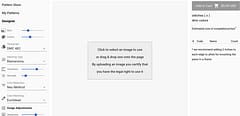
You open a tab, upload a JPEG/PNG/WebP, set size and colour count, and look at a preview before you pay. No install. Works on the machine you already have.
This is the category that actually moved since 2018.
Pic2Pat is the classic free converter: three steps, chart on your computer. It has introduced a lot of stitchers to photo-to-pattern. The image is uploaded to their server. It is a good first benchmark.
Stitchmate is a full in-browser editor: photo conversion and drawing from scratch, FLOW Score / confetti tools, Pattern Keeper-oriented PDFs, and you pay when you export. If you want to design samplers, text, and half stitches, that is their job, not ours.
Thread-Bare is a conversion tool plus a licensed pattern store. You convert in the browser (/convert); the preview is a true-to-stitch mockup of the chart, not a dressed-up photo. Instant PDF for $9.99, ten print combinations, and a free viewer / stitch tracker. We are not a drawing suite. We are fussy about colour matching and about not lying in the preview.
DMC’s old postal kit is gone. Their later Snap & Stitch experiment is not something we would treat as current without checking their site today.
Pros: Fast, cheap for one pattern, any device.
Cons: Browser tools are usually conversion-first. If you need to paint a chart for resale, you still want desktop software.
How to choose
- Run the same photo through a free or try-before-pay browser tool. That is your baseline.
- Look at the stitches, not the original photo. If the preview is the photo with a grid on it, you have not seen the chart. We wrote about that in The Problem with Cross-Stitch Pattern Previews.
- Only then try a desktop trial or a paid human — and only if they beat the baseline on the same image.
A weak photo will beat any software. Lighting and resolution matter more than the brand on the box. We have a photography piece if you are shooting the source yourself.
Try it on Thread-Bare: convert a photo ($9.99) or browse ready-made patterns.
Related: How to match colours from image to chart, computer image file formats.